
Esports Lab & Institutional Gaming Management Software
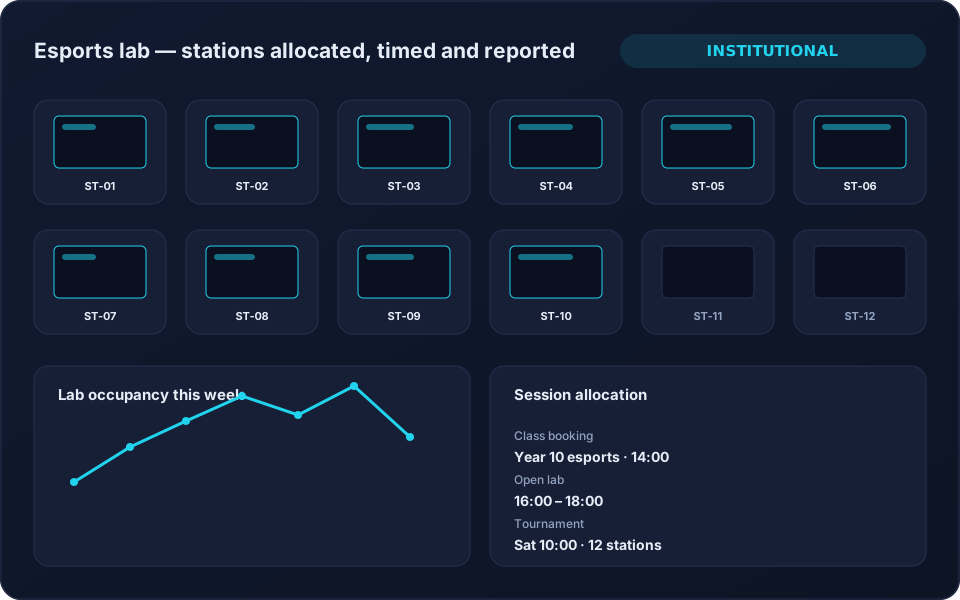
Schools, universities and esports academies need the same core as a gaming centre — who is on which station, for how long, under whose booking — with reporting an institution can actually file.
The problems this solves
What you get
Station & Session Control
Start, extend and end sessions per PC or console with exact time recording.
Member & Student Accounts
Named accounts with packages or allocated time, and booking history per person.
Lab Bookings
Reserve stations or whole rooms for classes, sessions and tournaments.
Occupancy Reporting
Usage and occupancy by station, room and time slot for institutional reporting.
Multi-Lab Visibility
Several rooms or campuses managed as branches with a view across all of them.
Setup, Training & Support
Installation, staff training and ongoing support as part of the engagement.
What this page does not claim
Institutional IT briefs often ask for diskless boot infrastructure, Active Directory integration, mass software deployment and remote device control. 8BallPOS does not do those things, and we are not going to imply otherwise to win a search ranking.
What it does: manage stations as bookable, timed resources with named accounts, allocations, bookings, occupancy reporting and multi-room visibility — the scheduling and accountability layer that sits above whatever imaging and desktop management you already run.
Why operators choose it
- Lab time allocated and enforced consistently.
- A defensible record of who used what, and when.
- Occupancy evidence for funding and timetabling decisions.
- One view across rooms and campuses.
- The same platform if the room later opens commercially.
Frequently Asked Questions
Does 8BallPOS provide diskless boot or Active Directory integration?
No. Those are infrastructure functions handled by your IT stack. 8BallPOS manages session scheduling, allocation, time control, accounts and occupancy reporting above that layer.
Can we run several labs across campuses?
Yes. Each lab is configured as its own branch with its own stations and staff, with reporting across all of them.
Can it be used for both class time and paid public sessions?
Yes. The same stations can run allocated institutional sessions and paid commercial sessions with different pricing rules.
Related solutions
Ready to run your game center on autopilot?
See 8BallPOS live with your own venue in mind — free, usually 30 minutes. No public price list: we quote what your venue actually needs.